English Writing Checker: What Actually Works for Non-Native Professionals
English Writing Checker: What Actually Works for Non-Native Professionals
An English writing checker reviews what's wrong in your text — grammar, spelling, punctuation, sentence structure. But if you write in English professionally as a non-native speaker, fixing what's wrong isn't the same as being confident it sounds right.
That gap is the difference between a grammar checker and a professional writing tool.
What Grammar Checkers Do
The most widely used English writing checkers — Grammarly, LanguageTool, and the built-in checkers in Word and Google Docs — compare your text against linguistic rules and flag deviations.
What they catch well: subject-verb agreement errors, misspellings, punctuation issues, overly long sentences, excessive passive voice, word repetition.
What they don't catch: whether the tone is appropriate for the recipient and context, whether the register is too formal or too casual, whether a grammatically correct sentence will still sound odd to a native speaker, whether your directness is calibrated for the specific relationship.
For most non-native professionals who already work in English regularly, grammar is usually fine. The uncertainty comes from the second list.
The Main Options
Grammarly. The most widely used English writing checker. Catches most grammar and spelling errors in real time without interrupting your flow. The limit: tone detection is shallow. It identifies general sentiment but doesn't evaluate whether that tone is right for your specific context.
LanguageTool. Free, open-source alternative. Strong multilingual support. Same limitation on tone and register, but the strongest free option at the grammar layer.
Word / Google Docs built-in. Functional for basic errors. No style or tone suggestions. Useful as a baseline but not enough if you want quality above the minimum.
ChatGPT. Technically not a writing checker, but it handles tone and register better than any other option. You describe the context and what you want to adjust, and get an improved version that goes beyond grammar. The limitation is the workflow: switching apps, building a prompt, copying back.
Grammar Checker vs. Professional Writing Tool
Grammar checkers fix what's wrong. Professional writing tools refine so that the text sounds right.
A piece of text can be 100% grammatically correct and still sound too formal for a Slack message to a close colleague, too casual for an email to a new client, or use an expression that's technically correct but no native speaker would use in that specific context.
None of those problems appear as errors in a grammar checker. All of them affect how the text lands.
How to Choose
If grammar errors are your main concern: Grammarly or LanguageTool. They run quietly in the background and catch what you miss. LanguageTool if you want the stronger free option.
If you need tone right for important messages: ChatGPT with a detailed prompt. Describe the context, the relationship, the tone you're aiming for. The output goes well beyond grammar.
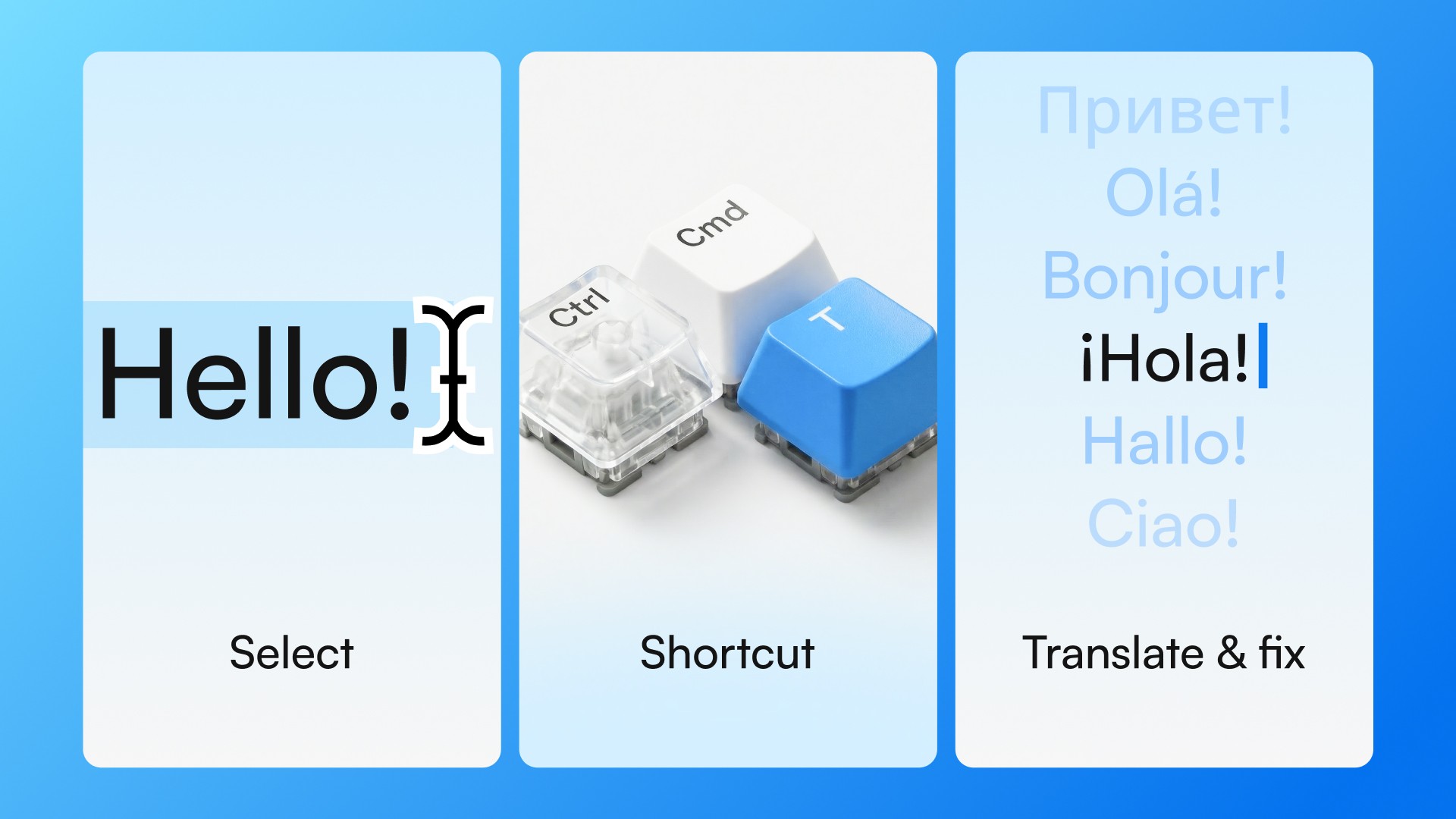
If you write in English all day and want low-friction tone checking: Typeflow works via keyboard shortcut in any desktop app. Select text, press Ctrl+Cmd+T on Mac or Ctrl+Win+T on Windows, get a refined version in about 2 seconds — without leaving the app.
Most non-native professionals end up using a combination: a grammar tool in the background, ChatGPT for deliberate high-stakes messages, and an integrated tool for daily volume.
The Question Grammar Checkers Can't Answer
Every time you reread a message before sending and wonder "does this sound right?" — you're asking a question grammar checkers can't answer. They verify whether the text is correct. They don't assess whether it sounds like someone who belongs in that conversation.
That question — "will this land the way I intend?" — is what separates writing correctly in English from writing with confidence.
Download Typeflow and stop second-guessing before you send. 7 days free, no credit card required.